
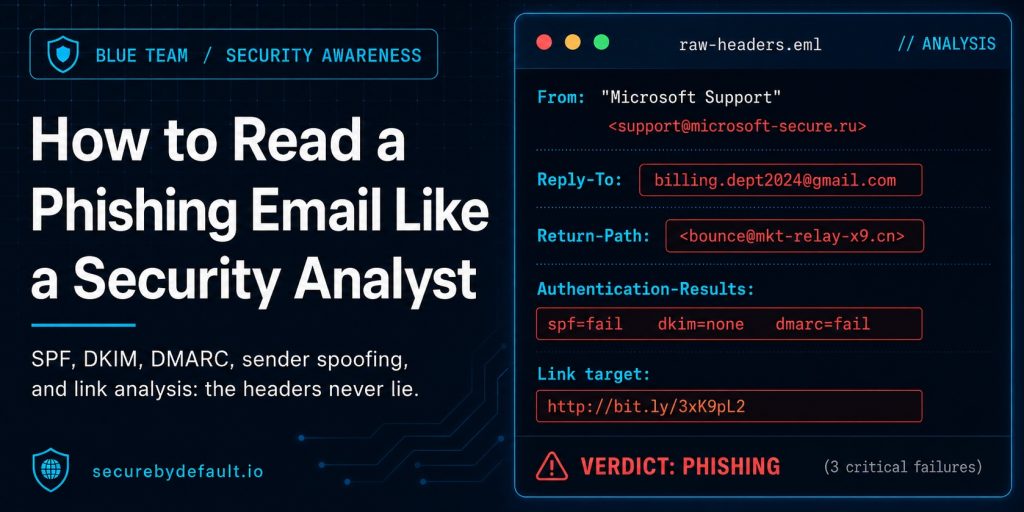
Most phishing advice stops at “look for typos and bad grammar.” That advice is dead. AI has made phishing emails grammatically flawless, professionally formatted, and visually identical to the real thing.
So how do analysts catch them? Not by reading the body of the email. By reading what’s underneath it.
Every email carries a paper trail. Headers, authentication results, routing information, and link destinations all tell a story the visible email never shows. Once you know where to look, a phishing email becomes obvious in seconds, regardless of how convincing the writing is.
This post walks through the exact fields I check, in the order I check them, using the same approach I used while investigating the SOC146 phishing case.

The Full Analysis Checklist
Before diving into each field, here’s the complete picture of what to check and why:
| Header / Field | Category | What It Tells You |
|---|---|---|
| From / Display Name | Sender Identity | Check who the email actually came from, not who it claims to be |
| Reply-To | Redirect Trap | Reveals where responses actually go |
| Return-Path | Bounce Address | Shows the true envelope sender, often different from From |
| Received Headers | IP Trail | Traces the email’s path server by server |
| SPF / DKIM / DMARC | Authentication | Confirms whether the sending server was authorized |
| URLs | Link Analysis | Where a link actually goes versus what it displays |
| Attachments | Payload Check | What the file really is and whether it’s been seen before |
None of this requires special tools. Every header is visible in Gmail, Outlook, or any mail client through “View Source” or “Show Original.” Let’s go through each one.
Want the 25-point security checklist I actually use? It’s the same baseline I run against real infrastructure – free, no fluff.
Get the Free Checklist →1. From and Display Name: Two Different Things
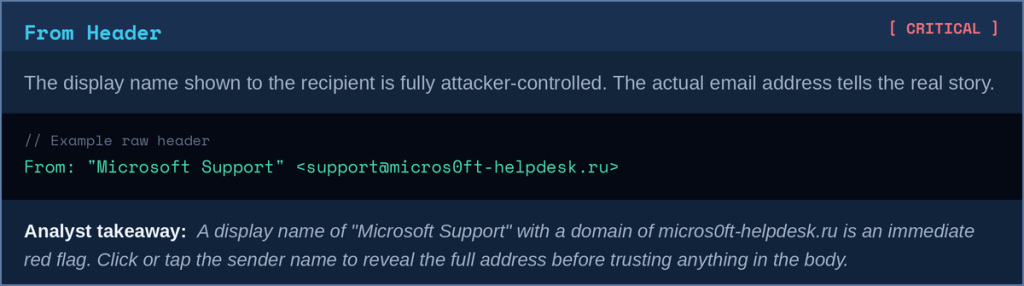
The display name is whatever the sender wants it to say. “Microsoft Support,” “IT Helpdesk,” “Your Bank.” None of that is verified. The actual sending address is the part that matters, and it’s often hidden behind the display name in most email clients.

2. Reply-To: Where Your Response Actually Goes
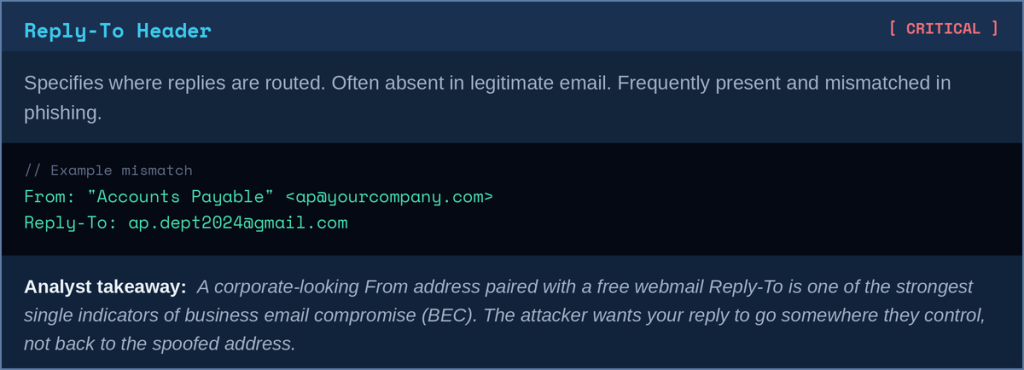
If a reply address is present and different from the From address, that’s worth investigating immediately. Legitimate transactional emails rarely set a different Reply-To, and when they do, it’s usually a documented support address, not a personal Gmail account.
3. Return-Path: The Envelope Sender
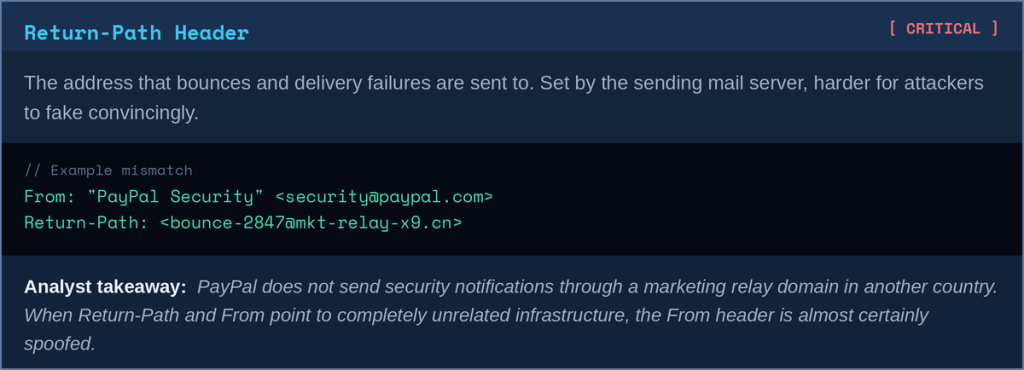
The From header is what’s displayed. The Return-Path (also called the envelope sender or bounce address) is what the receiving mail server actually used to accept the message. These two frequently don’t match, and when they don’t, the Return-Path is usually closer to the truth.
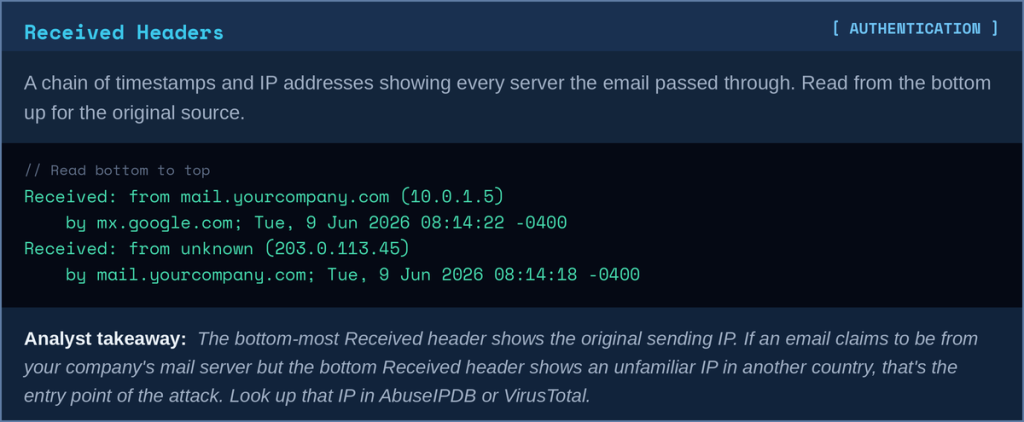
4. Received Headers: The IP Trail
Every server that handles an email adds a Received header, stacked in reverse chronological order, with the most recent hop at the top. This creates a traceable path from the sender’s mail server to your inbox.

5. SPF, DKIM, and DMARC: The Authentication Trio
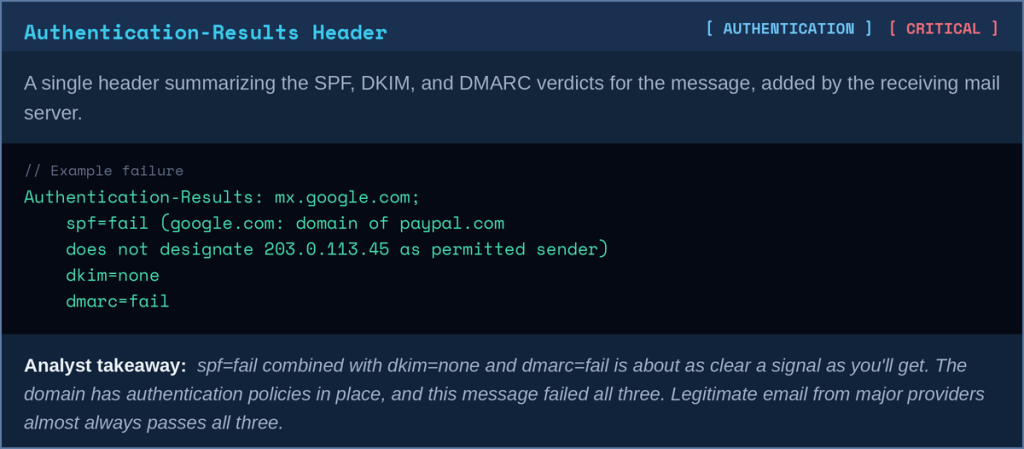
These three records work together to answer one question: was this email actually authorized to be sent from this domain? Most mail providers run these checks automatically and stamp the result directly into the headers as Authentication-Results.
SPF (Sender Policy Framework) checks whether the sending server’s IP is listed as an authorized sender for that domain.
DKIM (DomainKeys Identified Mail) verifies a cryptographic signature proving the email wasn’t altered in transit and came from a server holding the domain’s private key.
DMARC (Domain-based Message Authentication) tells receiving servers what to do when SPF or DKIM fail: quarantine, reject, or do nothing.

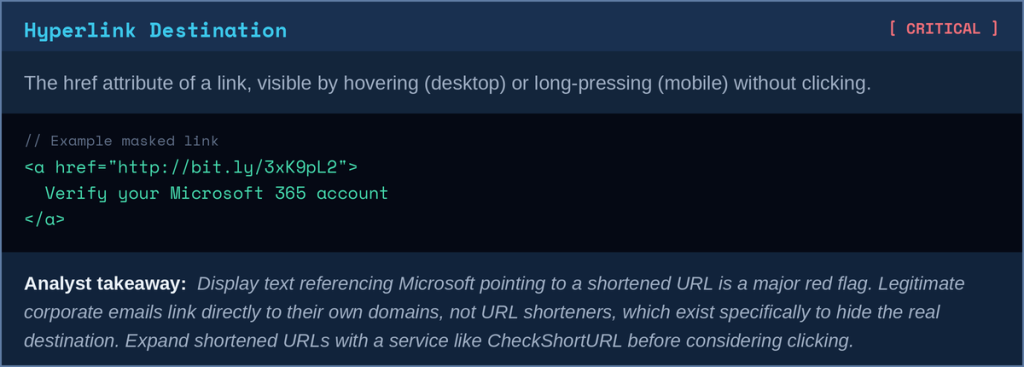
6. URLs: What’s Displayed vs. Where It Goes
A link’s visible text and its actual destination are two completely independent things in HTML email. “Click here to verify your account” can point anywhere the sender wants.

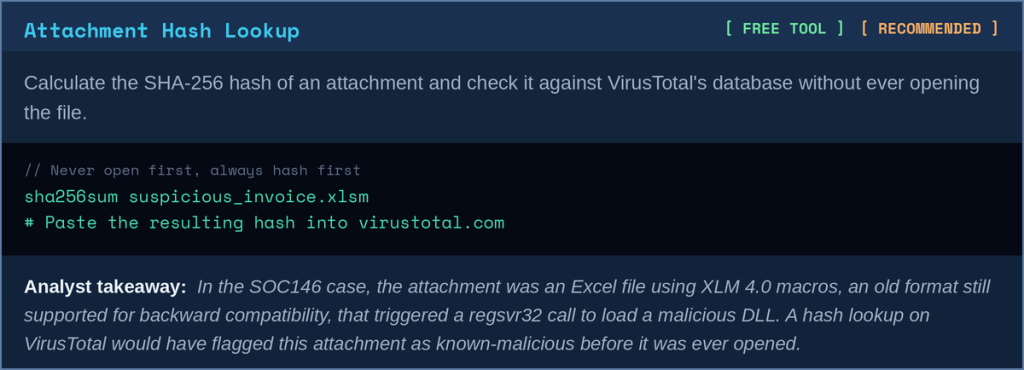
7. Attachments: What the File Really Is
File extensions are cosmetic. A file named invoice.pdf.exe, or an Excel file containing a macro, doesn’t announce itself as dangerous in the file name. The actual file type and its hash are what matter.
Putting It All Together
Here’s the order I actually follow when triaging a reported email:
- Check the From address, not just the display name
- Check Reply-To for a mismatch with From
- Check Return-Path for a mismatch with From
- Read Received headers from the bottom up to find the originating IP
- Check Authentication-Results for SPF, DKIM, and DMARC verdicts
- Hover or long-press every link to reveal the real destination
- Hash any attachments and check VirusTotal before opening anything
Most phishing emails fail at least three of these checks simultaneously. You rarely need to go through all seven. The first mismatch you find is usually enough to confirm the email is malicious and move to containment.
Final Thoughts
The body of a phishing email is theater. It’s designed to create urgency and bypass critical thinking. The headers are where the truth lives, and they can’t be faked as easily because multiple independent systems, the sending server, the receiving server, and DNS records, all contribute to them.
If you want to see this analysis applied to a real, documented case, including the full attack chain from phishing email to C2 beacon, read the SOC146 walkthrough on this site.
Key Takeaways
- Stop looking for typos. AI-generated phishing is grammatically perfect.
- The display name means nothing. Always check the actual From address.
- A Reply-To address that doesn’t match From is one of the strongest BEC indicators.
- Return-Path often reveals the true sending infrastructure when From is spoofed.
- Read Received headers from the bottom up for the original sending IP.
- SPF, DKIM, and DMARC failures are a strong signal, but passes don’t guarantee safety.
- Never trust displayed link text. Hover, expand shortened URLs, and check destinations.
- Hash attachments and check VirusTotal before opening anything, regardless of file extension.
Get the security checklist most
businesses skip.
A free 25-point audit covering the exact gaps attackers hit first — engineer-built, no jargon. Plus one practical security breakdown every Tuesday. No fluff, no fear-mongering.
Get the Free Checklist →Free on signup · Unsubscribe anytime · ~1 email per week